Gemini’s Guided Vision Helps With the Awkward Part: Aiming the Camera
Google’s Android rollout adds spoken guidance to help get labels, controls, and other objects into view. That’s useful, provided you don’t confuse a helpful description with a dependable one.
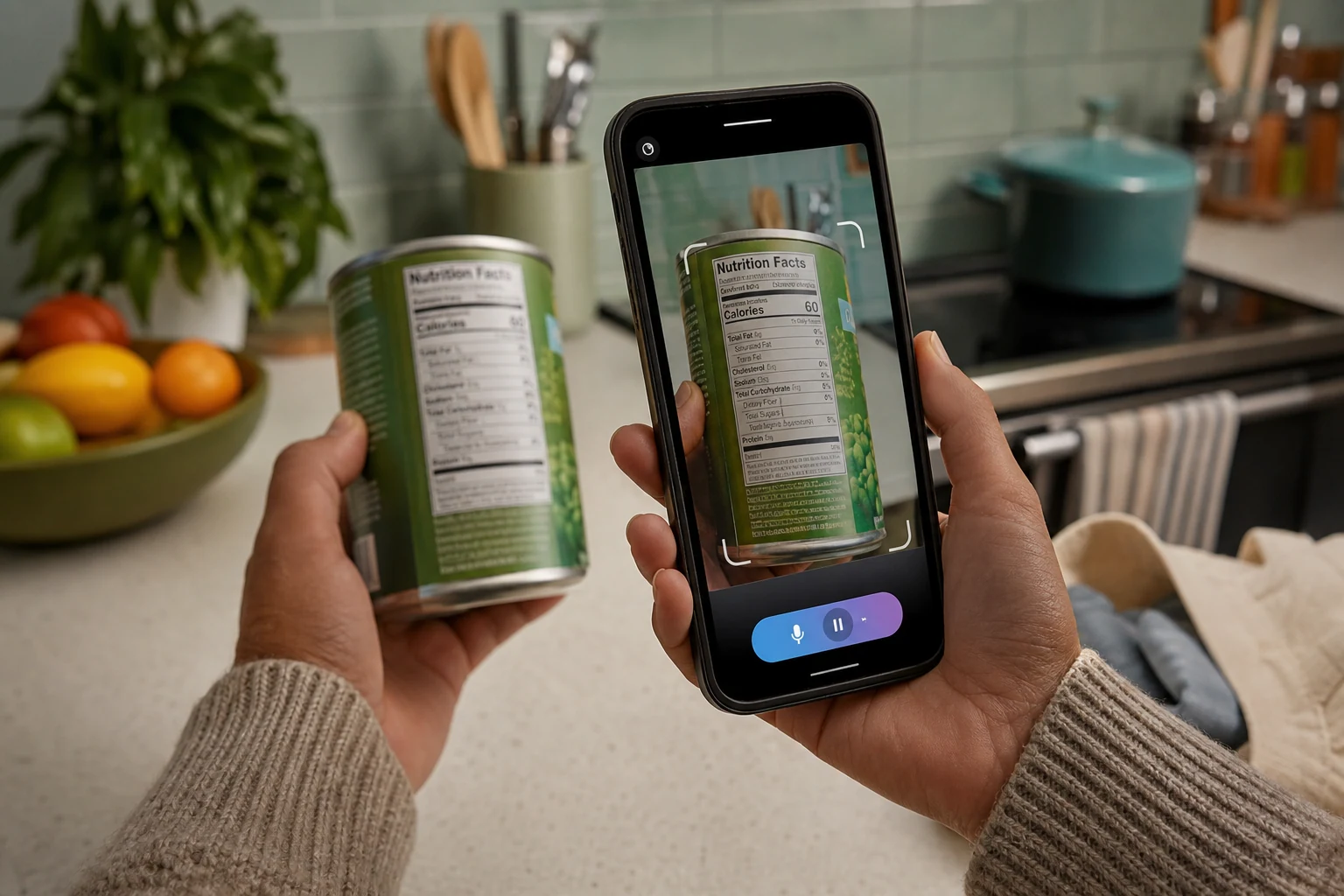
An AI that can read a label aloud is useful. An AI that can tell you the label isn’t fully in the camera’s view addresses a rather important step before that.
That’s the interesting part of Guided Vision in Gemini Live, which Google announced on October 1, 2026. It adds spoken descriptions and camera-positioning guidance: share your camera, ask about something, and Gemini can suggest how to adjust the view.
Google developed it with the blind and low-vision community. Its examples include reading small print, identifying appliance controls, locating household objects, and describing clothing colors. Those are intended uses, not a promise that it will get every label or button right.
The distinction matters. This isn’t simply another announcement that AI can describe a picture. It’s help getting the right picture in the first place, especially when seeing the camera preview is itself difficult.
It is not a navigation tool. Google explicitly says not to use it for obstacle detection, navigation, or as a replacement for mobility aids. Helping you inspect a label and telling you where it’s safe to walk are very different jobs.
Try a label, not a leap of faith
In the Android Gemini app, open your profile menu, go to Settings, and enable Use Guided Vision in Live. Then start Live and share your camera. Google’s setup instructions also cover accessibility shortcuts and a TalkBack entry point.
For a low-stakes first attempt, try a food package or clothing label and ask:
Read this label aloud. Tell me how to adjust the camera if any text is out of view.
That’s an ordinary spoken request, not a special command. The intended result is an aloud reading plus guidance if the camera needs repositioning. It isn’t a guarantee of a complete or correct reading.
There’s already reason to keep that distinction in mind. In an early hands-on account published September 23, an Accessible Android tester reported an incorrect towel color and incomplete page reading. That’s one early test, not an accuracy score, but it does puncture the idea of dependable artificial eyesight.
The setting might not be there yet
Google says access is rolling out gradually on compatible Android devices running Android 9 or later, in supported Gemini Live regions and languages. The announcement does not establish iPhone availability.
You’ll need to sign in with a self-managed personal Google account or an eligible work or school account. Gemini Live isn’t available through the Gemini web app or Google Messages.
Google lists Gemini Live in its U.S. $0 plan. Neither the Guided Vision announcement nor its help page specifies a separate charge or paid-plan requirement. That doesn’t mean every free account has the setting already.
One practical wrinkle: camera sharing stops when you leave the app or lock the screen. Returning doesn’t automatically restart it. And ask permission before including other people in a session.
This looks worth trying if small print or unfamiliar controls regularly get in your way. The camera guidance addresses a real frustration rather than inventing one for a product announcement. Just keep the first experiments ordinary and check anything where a wrong answer could hurt. A misidentified towel is annoying. A misread instruction can be something else entirely.
Sources
- Guided Vision in Gemini Live: built for accessibility (2026-10-01)
- Gemini Live's camera just became much more useful for accessibility (2026-10-01)
Information checked: October 5, 2026.
The conversation
Have a thought? Add it below. Comments are reviewed before they appear.